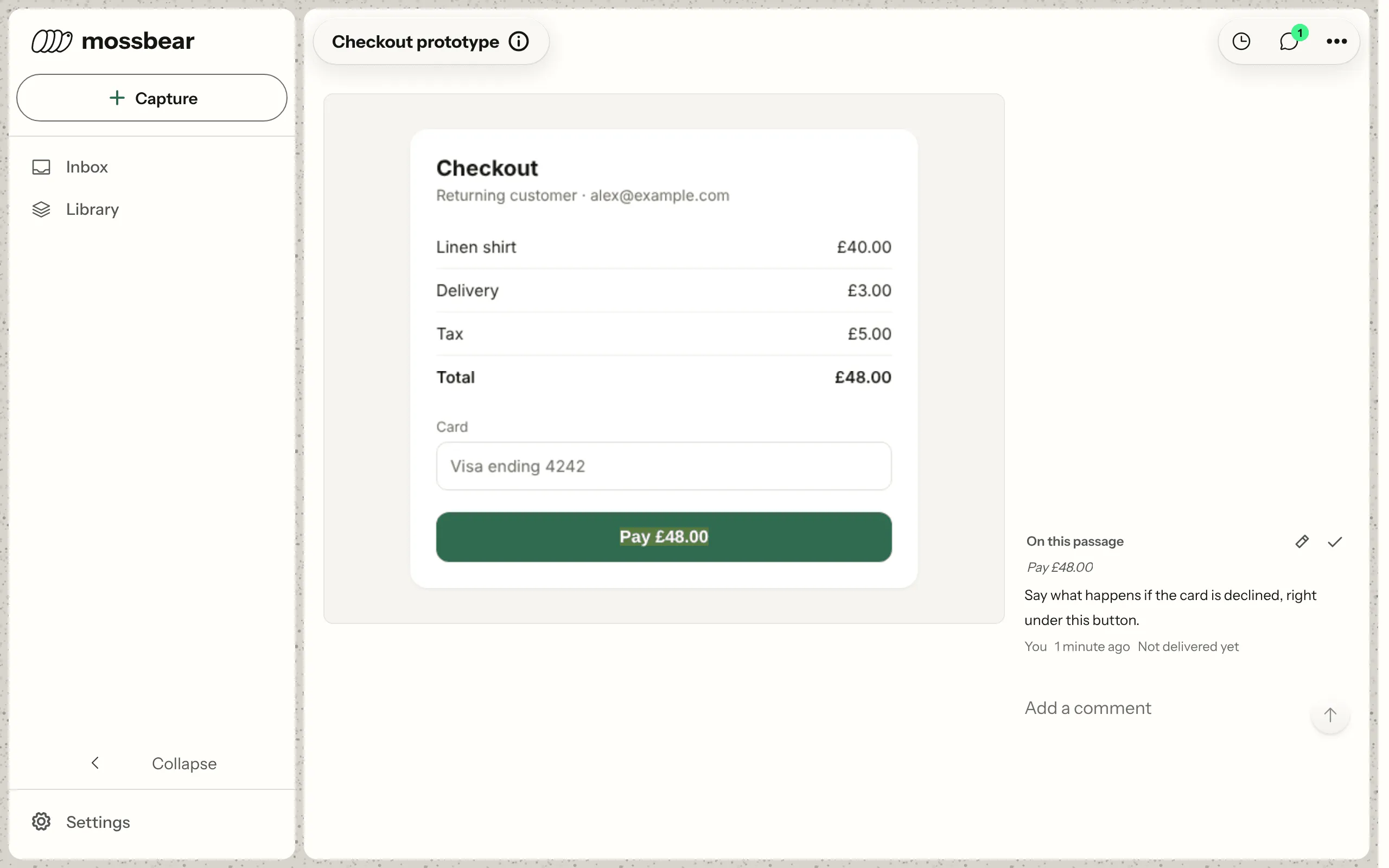
Comment right on it.
Point at the exact line, in a plan or inside a mockup. Nobody has to explain which part you meant.
Capture it from any page, shape it with Claude Code, hand it to Codex, and see which rules held. Skills, rules, plans, mockups: each lives on one page that you, your team and your agents build on.
npm install -g mossbearKnow what Mossbear sends before you connect. See what syncs.


You explained it to Claude Code this morning.Now you’re explaining it to Codex.
Point at the exact line, in a plan or inside a mockup. Nobody has to explain which part you meant.
One copy reaches every agent you use, in any repo, kept in git or out of it. Skills can go machine-wide, and Claude Code and Codex can open any page from a folder with no repo.
  dashboardUrl unset — falling back to https://app.mossbear.io  created ~/.mossbear/config.json  wrote .mossbear/config.json — project proj_8f2c1d47a9b30e56    derived from this repo's root commit — commit the file so every clone agrees
Nothing detected here that `init` can wire — using the default:  Claude Code  → .claude/settings.json
  created .claude/settings.json    5 hooks: PostToolUse, PostToolUseFailure, Stop, SessionEnd, SessionStart    This hook installs the current mossbear release before the first turn of    every session, on this machine as well as in rebuilt ones — that is how a    breaking release reaches a repo whose hooks still name the old commands.    `mossbear init --no-auto-update` rewrites the entry without the install    clause; remove the SessionStart entry from .claude/settings.json to drop the    hook altogether.
  created .agents/  created .claude/skills/ — mossbear, mossbear-context, mossbear-cli, mossbear-installer
  = MCP install skipped; agent tools were not connected by this run      claude mcp add --scope user mossbear -- mossbear mcp
Done. Next steps: mossbear login connect this machine to your account prints a code you approve in the browser; `mossbear report --token <token>` still works mossbear link adopt this repo's 2 existing guide files mossbear guides active list cached guides mossbear doctor verify your environment mossbear what-syncs show what leaves this machineYour rules reach every one of them. Grading covers Claude Code, Codex and OpenCode today.
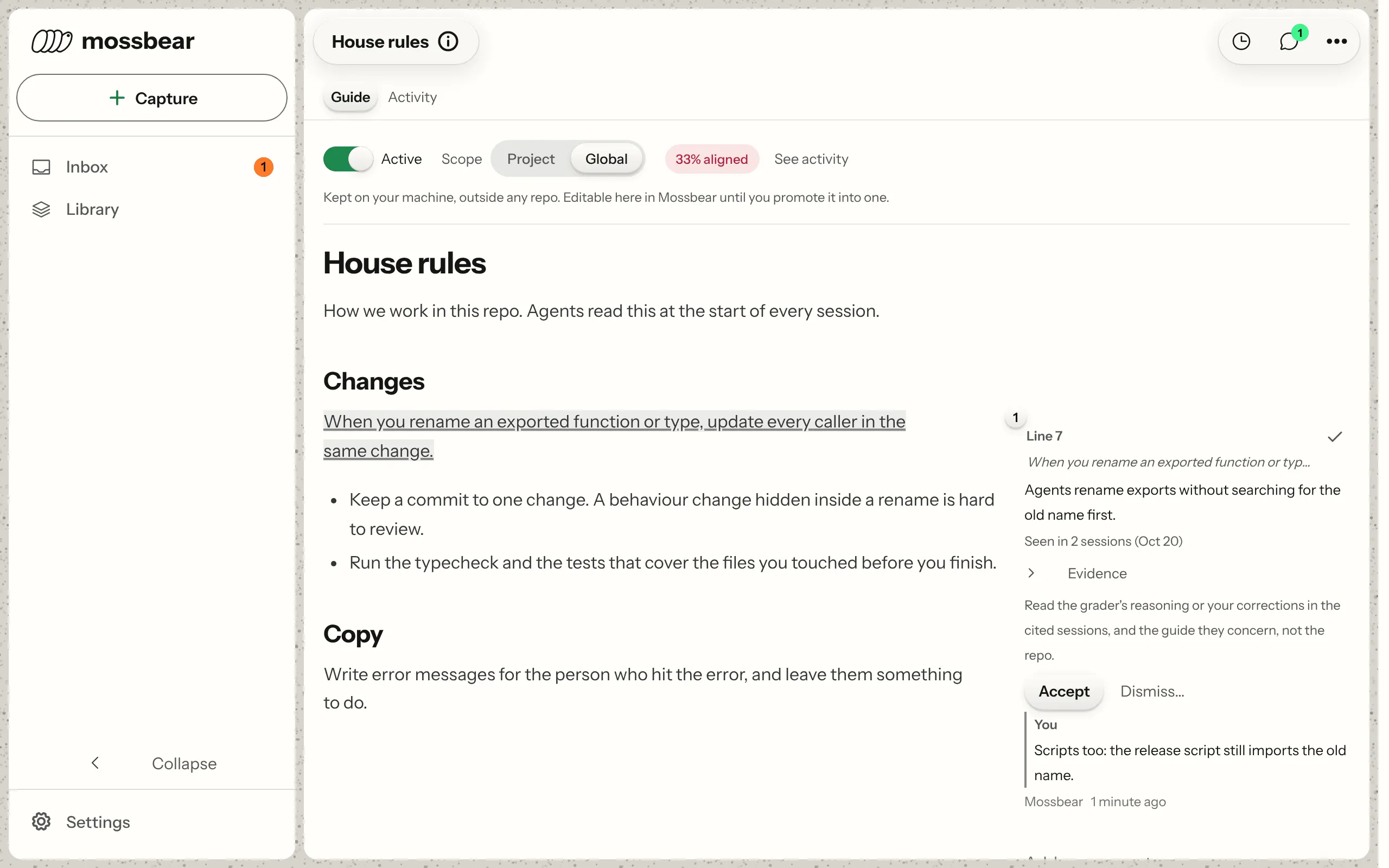
See which rules held in each session. When one slips, a finding lands on the page, and your agent fixes it there.
Mossbear prepares session evidence on your device, then grades it in the cloud. Guidance and context sync separately.
Full raw transcript files stay on your device during session sync. The CLI reads them locally to prepare excerpts and usage counts.
See how your agent sessions use tokens.
Give the grader evidence to check against your guidance.
Excerpts exclude tool-result bodies and recognized code blocks. Code or diffs outside those blocks can remain. Pattern redaction is not a guarantee.
Keep the content you link or publish in sync.
Content uploads carry file contents. Transcript filtering does not apply to them.
Grading and drafting through OpenRouter use no-training, zero-data-retention endpoints.
Synced content is not end-to-end encrypted: our servers and model providers need readable evidence for hosted grading.
In a repo subscribed to a document bundle, mossbear complete can push back subscribed documents you edited locally, even with --no-actions. Recent activity from another session or the bundle's write settings can block it. Conflicting server edits are left for you to resolve by default.
If the repo config declares published paths, their contents on the repo's published branch (main by default) upload automatically when a session sees that branch move. Your working copy and feature branches are never sent, and nothing is fetched to do it. Other sync uploads are unaffected.
This is the same field inventory used by mossbear what-syncs and the dashboard. It covers session sync, not the separate content uploads above.
idsessionIdagentSessionIdactionTypesummaryfilePathsverdictgradingTierguideIdsviolatedGuideIdevalReasoningmetadatanarrationagentSessionIdordinaltextidcontentreasoningtriggerTypesourceActionIdsstatussessionIdagentSessionIdusage.modelusage.providerusage.occurredAtusage.inputTokensusage.outputTokensusage.cacheReadTokensusage.cacheWriteTokenssessionIdagentSessionIdusage.skillNameusage.modelusage.inputTokensusage.cacheWriteTokenscliVersionagentSessionIdrepoIdfiles.pathfiles.formatfiles.contentHashtruncatedheadShabranchagentSessionIdtextoriginThe file part, yes. Plenty of tools sync a rules file, and Claude Code’s own global CLAUDE.md already covers one machine. None of them say whether a rule actually held. Mossbear grades each session against your rules once it ends and shows you which ones it followed, violated, or never touched.
You can. Set CLAUDE_CODE_ENABLE_TELEMETRY=1 and Claude Code logs every tool call, for free. That covers Claude Code only, and you or your agent could already read those logs and draw your own conclusions from them. Mossbear does that automatically, after every session, against the rules you actually keep, across local and cloud sessions, and across Claude Code, Codex and OpenCode.
Full raw transcript files stay on your machine during session sync. Mossbear sends action summaries and file paths, rule-file hashes, session usage and redacted text excerpts. Code or diff text outside fenced or indented blocks can remain in those excerpts. Linking guidance uploads your selected files, including supported files belonging to a selected skill; context you capture also syncs. See exactly what syncs.
No. Nothing waits on you checking it. A session is graded once it ends. Ask your agent to improve a rule, and through the built-in MCP server it can read how that rule has actually performed, the reasoning behind the sessions that broke it, and the comments people left on the repo’s files. It starts from the rules and skills you already keep, seven file formats round-tripping, so there’s nothing new to author, and mossbear unlink hands back everything you linked.
Yes. Edit a rule in a linked repo and it updates the canonical copy. A repo set up for automatic refresh starts pulling that change when an agent session starts. Otherwise, run mossbear refresh in that repo.
The criteria are yours. Grading runs against your own rules and criteria, never a rubric baked into our code. Every result cites the exact actions it came from, and when a session can’t be graded honestly, Mossbear writes nothing rather than guessing.
No. Every page lives in your Mossbear account, so you can write it and comment on it in the dashboard, from a phone’s browser too. mossbear init offers to register Mossbear’s MCP server for Claude Code and Codex, so either one can open your pages from any folder. In a repo, a page can also land as a file at the path your agents already read.
As plain files, in your repos, at the paths your agents already read. A guide lands back at the path it was imported from, whether that’s CLAUDE.md, AGENTS.md or a .cursor/rules file. Linking uploads the selected guidance so Mossbear can keep one canonical copy in your account. mossbear unlink hands back everything you linked.
Wondering exactly which of your tools get graded, not just synced? See the agent compatibility matrix.
Everything the product does today, at $0: no card, no trial clock, no seats to count. Paid tiers come later, spend tracking first, and nothing you set up now gets taken away. If you want out, mossbear unlink hands back everything you linked.
